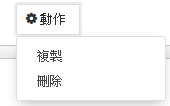
odoo 14 條件隱藏刪除按鈕
-
-
@samchou 在 odoo 14 條件隱藏刪除按鈕 中说:
請問是這樣嗎?
<field name="state" attrs="{'readonly':[('state', '=', 'Y')]}" invisible="1" / >
我試過刪除按鈕還是存在不是的。
你可以看一下订单中的
order_line字段的定义(对应sale.order.line对象), 注意一下里面的states用法。order_line = fields.One2many('sale.order.line', 'order_id', string='Order Lines', states={'cancel': [('readonly', True)], 'done': [('readonly', True)]}, copy=True, auto_join=True) -
@samchou 首先你的对象上要有
state这个字段,不要想当然的乱用啊,自己看一下文档介绍吧:https://www.odoo.com/documentation/15.0/developer/reference/backend/orm.html#fields -
state是作为一个对象中的一个标志字段,用来作为动态判断的条件,比如这条记录的状态在'confirmed'的时候,这条记录就变成readonly,也就是不能删除了。
所以,首先你要有一个名字叫state的状态字段, 然后比如象订单明细(order_line)这样的字段就可以使用
states属性来动态改变order_line在什么state下变为readonly。你目前的用法完全不对啊, 还是看看我上面的文档链接,然后再看看addons/sale里的例子的用法吧。