odoo14 模块主界面 删除了文件夹 仍存在模块的“已安装”信息
-
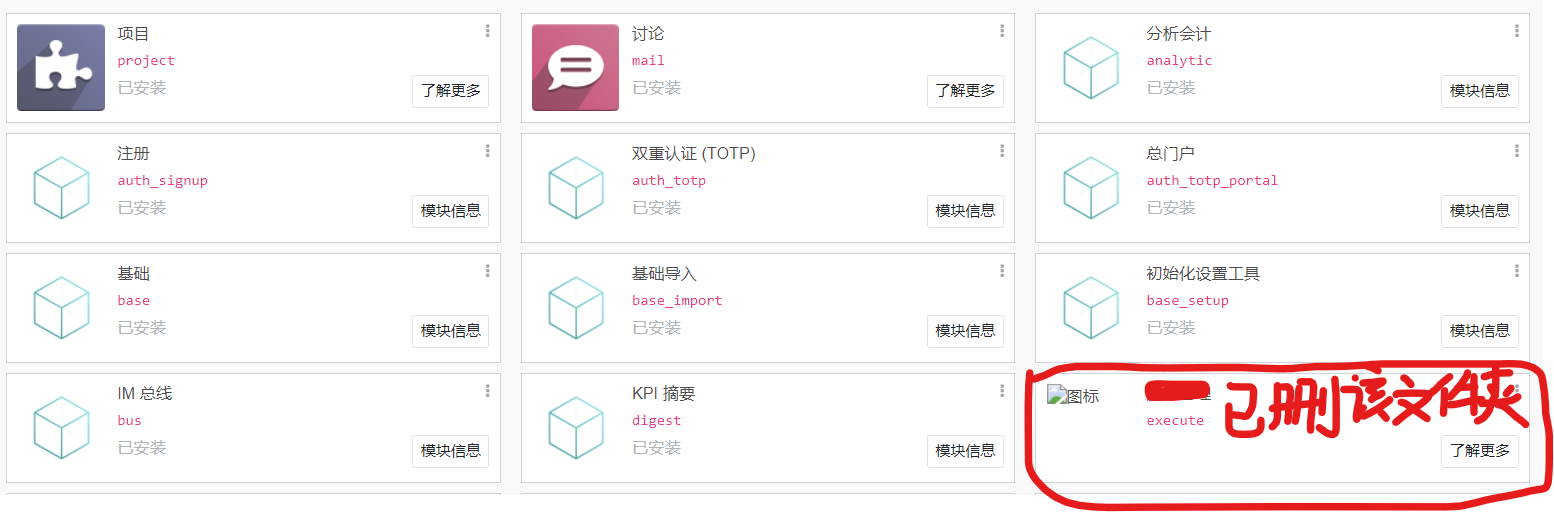
该模块为自定义模块,因测试对该文件夹“改名”(重构),导致代码混乱。后因无法通过该模块“卸载”菜单卸载,只好删除了该文件夹,结果主界面仍然留存有该模块的信息,只是没有了“已安装”三个字。
@steven 在 odoo14 模块主界面 删除了文件夹 仍存在模块的“已安装”信息 中说:
该模块为自定义模块,因测试对该文件夹“改名”(重构),导致代码混乱。后因无法通过该模块“卸载”菜单卸载,只好删除了该文件夹,结果主界面仍然留存有该模块的信息,只是没有了“已安装”三个字。
模块的信息记录在
ir_module_module表中,可以用数据库命令:
delete from ir_moudle_module where name = 'execute';
删除这条记录就可以了 -
@steven 在 odoo14 模块主界面 删除了文件夹 仍存在模块的“已安装”信息 中说:
该模块为自定义模块,因测试对该文件夹“改名”(重构),导致代码混乱。后因无法通过该模块“卸载”菜单卸载,只好删除了该文件夹,结果主界面仍然留存有该模块的信息,只是没有了“已安装”三个字。
模块的信息记录在
ir_module_module表中,可以用数据库命令:
delete from ir_moudle_module where name = 'execute';
删除这条记录就可以了@digitalsatori
我试用了这个办法,在数据库中使用“select from ir_moudle_module”查询中,发现根本没有“execute”名称,该名称已经被改名重构后的名称替代了。
后来我在主应用界面,将视图切换成“列表”模式,进入该应用的信息界面,使用“卸载”按钮完成了卸载。
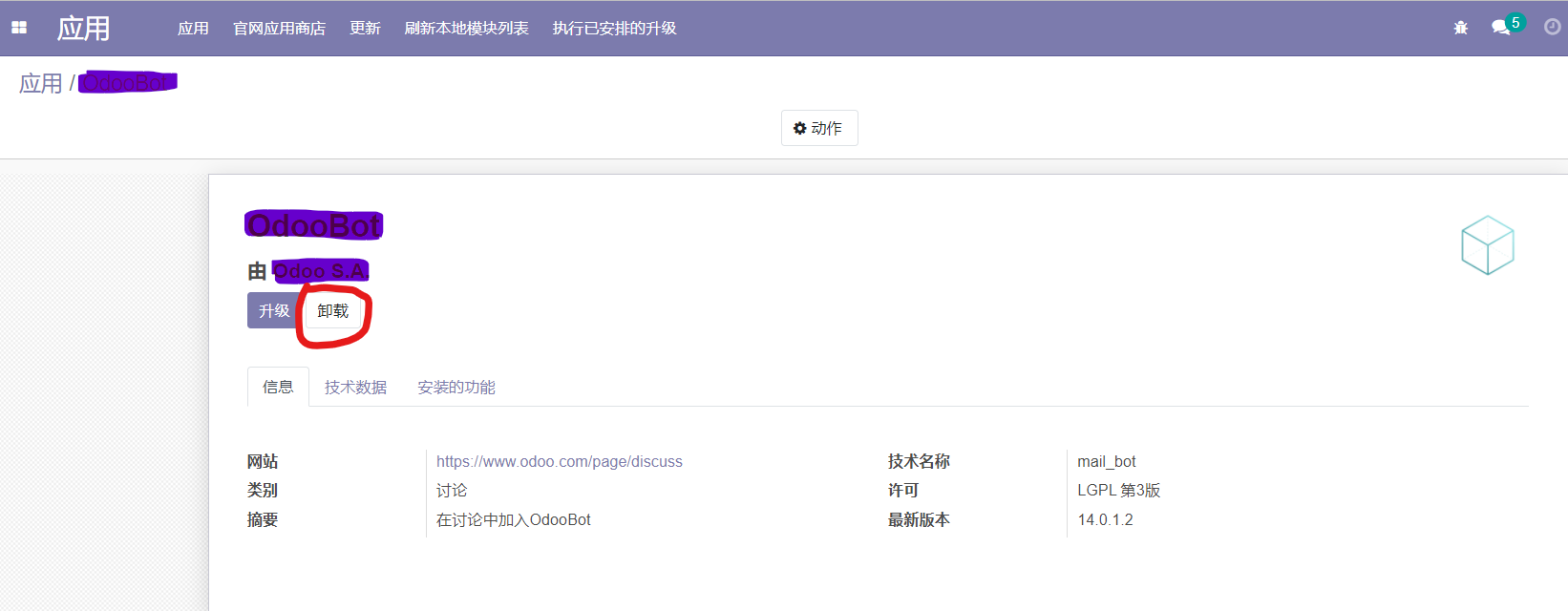
可能用你的办法,SOL语句直接删除改名后的模块名称也可以。
非常感谢!
Hello! It looks like you're interested in this conversation, but you don't have an account yet.
Getting fed up of having to scroll through the same posts each visit? When you register for an account, you'll always come back to exactly where you were before, and choose to be notified of new replies (either via email, or push notification). You'll also be able to save bookmarks and upvote posts to show your appreciation to other community members.
With your input, this post could be even better 💗
Register Login