Your browser does not seem to support JavaScript. As a result, your viewing experience will be diminished, and you have been placed in read-only mode.
Please download a browser that supports JavaScript, or enable it if it's disabled (i.e. NoScript).
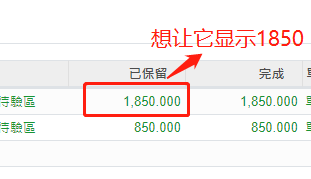
在odoo13中,产品数量的数字默认小数点后面有三个零,怎样去除掉,只让它显示整数?
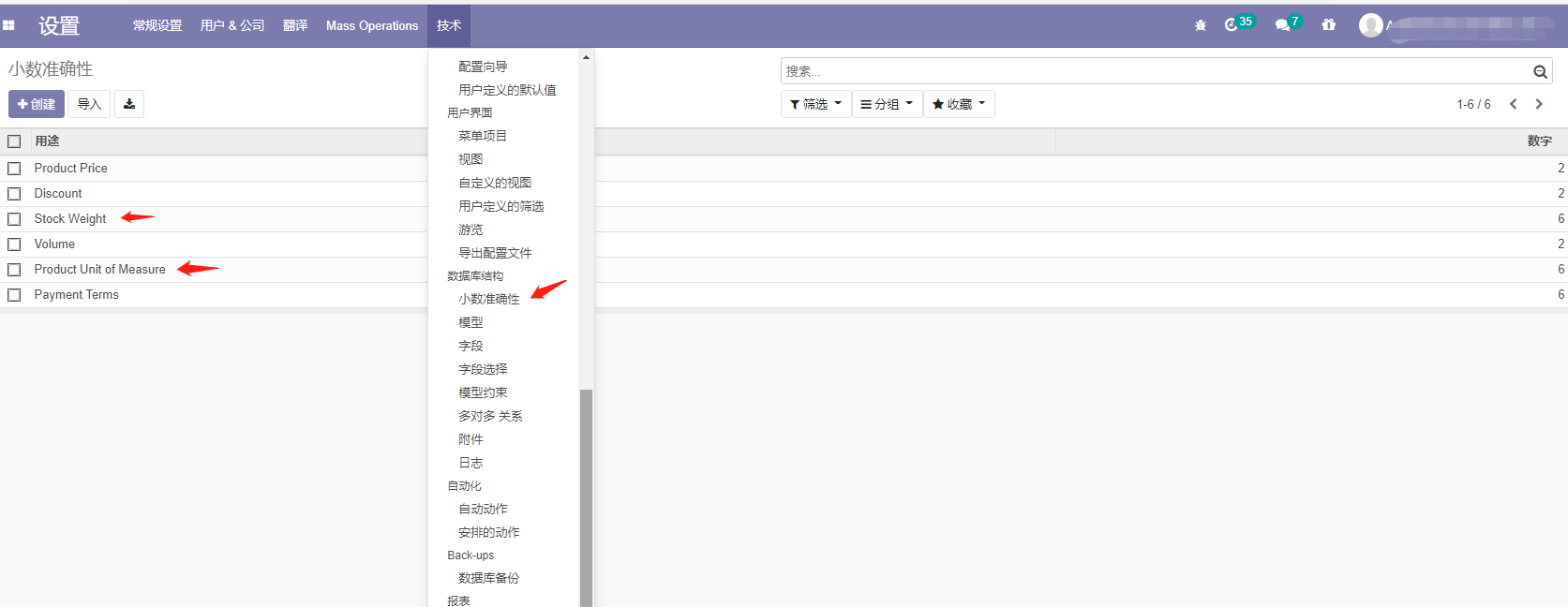
@bomb 开启开发者模式后, 设置 | 技术 | 数据库结构 | 小数精度下
试试,设置 Product Unit of Measure 的精度, 记得先在测试库中测试, 另外,有的地方 页面上 还有精度的设置,这就需要 开发人员配合了;
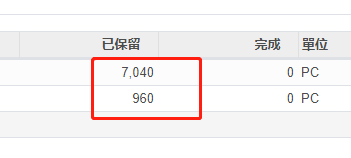
@卓忆 非常感謝,這正是我想要的~~ 我們公司剛開始使用odoo,還在慢慢學習~~
你好!看起来您对这段对话很感兴趣,但您还没有一个账号。
厌倦了每次访问都刷到同样的帖子?您注册账号后,您每次返回时都能精准定位到您上次浏览的位置,并可选择接收新回复通知(通过邮件或推送通知)。您还能收藏书签、为帖子顶,向社区成员表达您的欣赏。
有了你的建议,这篇帖子会更精彩哦 💗